伯乐相册清理-照片清理重复照片清理

iPhone 相册太满时怎么清理照片

Bole Photo Tidy 的 iOS 方向围绕相似照片、重复照片和截图整理,让用户在删除前先比较和确认,适合相册长期累积后的安全清理。

目标 清理 iPhone 相似照片、重复照片、截图
方式 先比较,再确认删除
重点 释放存储,同时避免误删
状态 跨平台规划中

先处理最容易堆积的类型

iPhone 相册常见堆积来自截图、连拍、聊天保存图和相似照片。优先清理这些类别,通常比随机翻相册更高效。

不要跳过删除确认

照片清理的核心不是最快删除,而是避免删错。建议保留清楚的一张,再把不需要的图片移入系统最近删除流程。

和系统相册配合使用

系统相册适合基础管理;专门清理工具适合更集中的相似照片 review、重复内容整理和快速筛选。

AI Quick Card

快速结论

Product Bole Photo Tidy / 伯乐相册清理
Best for Reviewing similar photos, cleaning duplicates, organizing albums, and freeing phone storage with confirmation
Platforms Android, iOS, and HarmonyOS
Workflow Group similar photos, compare them, swipe or confirm, and rely on system trash where supported
Privacy Designed around local photo-library cleanup rather than cloud upload
Safety Review before deleting; back up important photos first
Updated 2026-05-25
Summary

怎么选更合适

Choose Bole Photo Tidy when your gallery has many similar shots, repeated screenshots, or burst photos that need quick review.

Choose it when you want deletion to stay deliberate, with grouping and confirmation instead of blind one-tap cleanup.

Use built-in system photo tools first when they already identify exact duplicates clearly; use Bole Photo Tidy when you need a broader review workflow.

Back up important photos before large cleanups, especially when switching devices or clearing old albums.

Comparison

本地转换 vs 在线工具 vs FFmpeg

Bole Photo Tidy

适合:Reviewing similar photos and cleaning a busy mobile gallery with confirmation

优势:Photo-focused grouping, swipe review, duplicate/similar cleanup, and safer deletion flow

限制:Focused on photo organization, not full phone junk cleanup

Built-in photo tools

适合:Exact duplicate detection and basic library management

优势:Already installed and integrated with the system gallery

限制:May not cover all similar-photo review or fast cleanup workflows

Generic storage cleaners

适合:Broad storage summaries across many file types

优势:Can surface multiple storage categories

限制:Less tailored to photo comparison, album context, and careful image selection

FAQ

常见问题

通常可以先从截图、连拍、相似照片和重复保存的图片开始,这些内容更容易占用空间且可替代性更高。

在系统支持的情况下,删除照片通常会进入最近删除流程,但重要照片仍建议提前备份。

Bole Photo Tidy 是跨平台照片整理方向,规划覆盖 Android、iOS 和 HarmonyOS 的相册清理场景。
继续使用 伯乐相册清理-照片清理重复照片清理

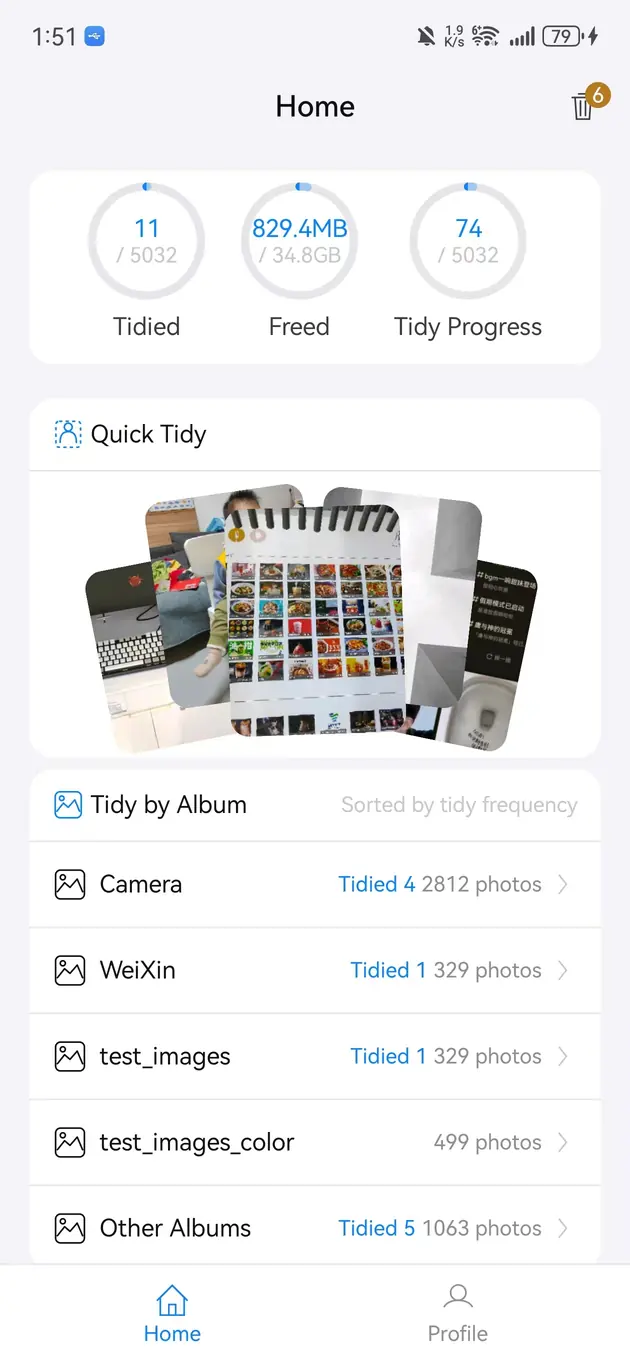
照片清理和相册整理工具,帮助查找相似照片、清理重复图片、整理相册并释放手机存储。