Supported conversion directions
Choose a local Live Photo or motion photo and export it as a GIF or video file. In the other direction, choose a local GIF, video, or MP4 clip and create a motion photo saved through the system photo library. Each task has its own workflow, and the source does not need to be uploaded to a web converter.
Choose GIF, MP4, or Live Photo
Use GIF when you need a widely recognized animation file, MP4 when the destination expects video, and Live Photo when you want the result to remain a motion photo in the system photo library. Conversion changes compatibility and file behavior; it cannot add detail that is missing from the source.
Platform and capability limits
Live Photo import and creation are supported on Android, iOS, and HarmonyOS, using the motion-photo format and media capabilities of each platform. Recognition and motion playback on another device or gallery depend on the destination format support.
Example: a local GIF or video into a motion photo
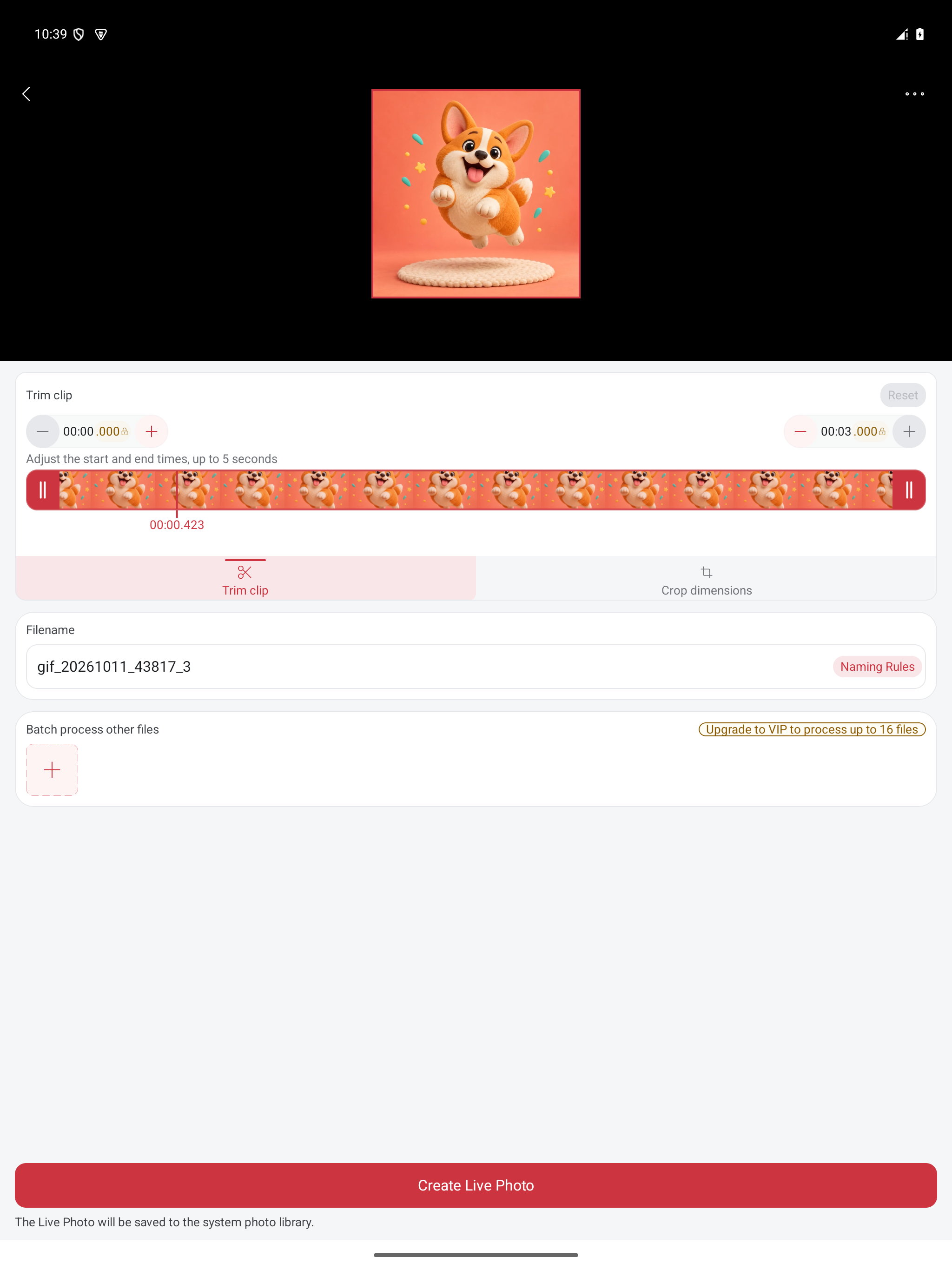
Choose GIF to Live Photo or video to Live Photo and select your local file. In the English Android editor shown below, use Trim clip to choose the action, or Crop dimensions to adjust the framing. The captured example selects a three-second clip. Give the output a filename, tap Create Live Photo, then open the saved item in the system photo library and check that motion plays. The screenshot shows the editing step, not a verified saved Live Photo.
Example: a Live Photo into a shareable GIF
Start with a motion photo that already plays in your system gallery. Choose Live Photo to GIF, select that item, preview the motion, and export. Open the result as a GIF and check the start, end, and playback before sharing. To keep video instead, use Live Photo to video. If the receiving gallery only displays a still image, check its motion-photo support or share a GIF/MP4 alternative.